PROVEN
Fast offline checkout
Scan a barcode or SKU, build the cart and keep selling through an internet outage.
- Items, payment and stock write together
- Stock deducts on every completed sale
- Returns reverse the sale and books
 Retail & Supermarkets
The checkout, stockroom, buying desk, staff access, cash-up and accounts work together on the same local business record. Start as a one-person shop and reveal more control as the team grows.
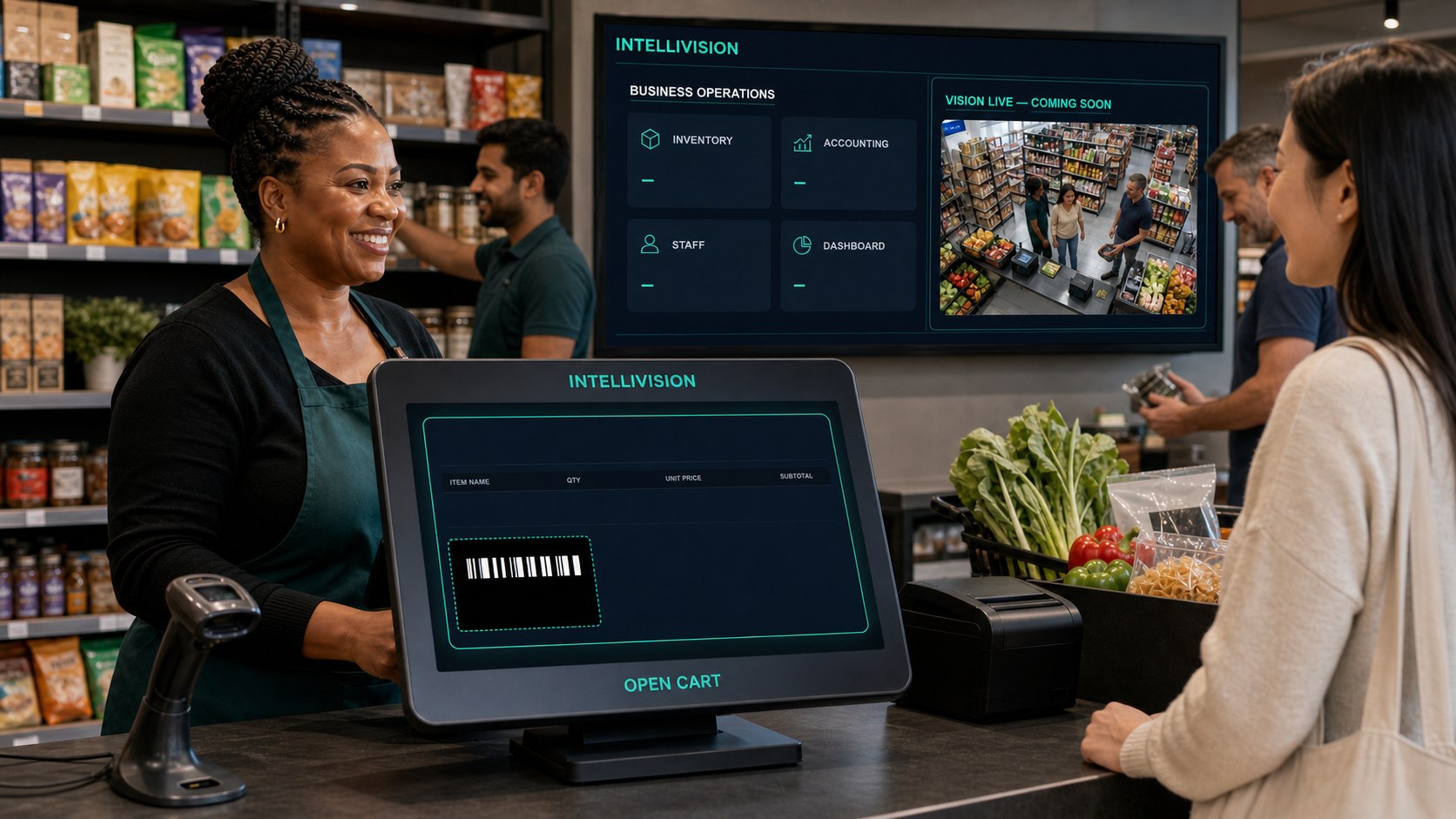
Concept scene. Every button on this page opens a working local product surface so you can verify the software yourself.
IntelliVision connects what happens at the counter to the stock, supplier, cash and accounting records an owner needs to run the business.
Scan a barcode or SKU, build the cart and keep selling through an internet outage.
Maintain barcodes, prices, costs and counts, with stock corrections recorded for review.
Create a supplier purchase order, receive only matching goods and update stock and weighted cost through a real GRV.
See turnover, payment mix, top products and low stock from the merchant's actual local records—not placeholders.
Give each person the screen they need. Cashiers cannot wander into owner-only financial and setup areas.
Sales, purchases and expenses feed the ledger so the owner can review monthly profit, financial position and cash flow.
The owner can run every step alone. As staff are added, the same steps separate into protected roles without creating a second version of the business.
Read the owner tutorial →Confirm the shop, region, tax status and working roles. Imported details are staged for a final human review.
Import supported exports with rejected rows shown clearly, or add and scan items inside Stock & Items.
The till keeps working locally, records the sale atomically and reduces stock when checkout completes.
Create a PO, receive matching lines through GRV and let the item cost update from the goods actually received.
Count the drawer, compare the expected cash, record over or short and hand the result to the owner.
The owner reviews the balanced ledger and statements, then prepares VAT figures where the business is registered.
The dashboard starts simple and reveals tools as the business adds people, account sales or branches.
Sell, receive stock, cash up and check the books using one owner profile. No staffing setup is forced.
Cashiers sell, stock staff receive, and the owner or manager sees exceptions, margins and cash-up.
Run every branch locally, or opt into Connected Mode for authenticated cross-device sales reporting, staff access and customer displays. Internet loss never stops the local till; committed updates queue and catch up.
Give a product separate case, pack and single barcodes, prices and selling rules. Receive supplier cases without pretending they are singles, then sell the sealed case, the pack or each item—while IntelliVision keeps one accountable stock total and one cost per base unit.
Opening stock changes its physical form only: one case becomes four 6-packs without creating inventory or changing its value. Refunds restore the form that was sold, and stocktake counts every form separately.
Open a read-only customer screen on the second monitor without another login, or give a tablet its own Customer Display login scoped to one branch and till lane. The local screen follows the live basket, savings, tax and total while exposing no staff navigation or editing controls. Pair a separate physical device through Connected Mode and it receives that assigned lane's basket online while queued updates recover after an outage.
Turn on fruit & vegetables, deli, butchery, cheese, bakery and coffee independently as the store grows. Weighed counters prepare a valid EAN-13 scale label for the main till; each-price counters use the item barcode or SKU.
South African businesses can use the bundled 7,772-item barcode reference to suggest product details when an unknown item is scanned. The owner reviews the suggestion and supplies the real selling price, cost and tax treatment before anything is created.
It is never forced. The owner can switch help on or off separately for adding products, purchasing and Point of Sale. Existing products always scan normally.
Manage barcode help in Business Setup →Migration and backups are part of the operating system—not an afterthought after the first sale.
Use guided exports, a local folder, a spreadsheet or supported account connections. Preview the rows before committing the import.
The operating record stays on this device until the owner chooses Connected Mode.
The till pairs a supported Bluetooth ESC/POS printer. If no device handshake exists, IntelliVision says nothing was printed and sends no cash-drawer command.
Review real supermarket camera evidence, link events to actual receipts, record the investigation outcome and export a protected incident register.
Open the control room →
These statements are tied to automated product gates. If a capability is not real, the interface must say so.
Items, payment and stock commit together—no half-written checkout.
Every completed sale produces matching ledger debits and credits.
A cashier cannot open protected owner screens by accident.
Public and operating pages are exercised in real-browser gates.
Yes. The owner profile can sell, manage stock, receive purchases, cash up and review the accounts. Team roles are optional until you add staff.
The local till keeps selling without a network connection. The core sale and stock record are stored on the device.
No. All three reference-help switches start off. The owner may enable Products, Purchasing or POS independently, and may turn them off again.
Yes. Link each physical form to the same product, give each form its own barcode and price, and choose which forms may be bought or sold. Opening a case or pack is permission-controlled and leaves total stock and inventory value unchanged.
No for a second monitor on the same till computer. For a tablet or separate computer, the owner creates a Customer Display login scoped to one branch and till lane, then pairs the device with a single-use Connected Mode code. That login exposes only the read-only display. Use browser full-screen or operating-system kiosk mode for the physical lock.
Yes. Each fresh department is switched on independently. Weighed departments create scannable scale labels, while bakery and coffee can use ordinary each-price barcodes. Existing stock is preserved when a department is switched off.
No. The owner may enable the expiry workflow globally, mark only selected products, or request lot and expiry capture on a purchase line. Once requested for a delivery, receiving fails closed until the lot and expiry are supplied.
No. Unsupported payments fail closed, and the till reports a print only after a real connected printer returns a result.
Ring up a basket in the demo, then open the stock, dashboard and books to see how one retail event moves through the system.